How to Check If Your Affiliate Links Are Working

AffilGuard Team
You spent hours writing that product review. You optimized for SEO, built backlinks, and finally started ranking. Traffic is flowing. But your commissions aren't growing.
The culprit? Broken affiliate links. And you had no idea they were broken until you checked your earnings report weeks later.
This happens more often than you'd think. Products get discontinued, merchants change their URL structures, affiliate programs update their tracking parameters. Every broken link is a visitor who clicked, saw an error page, and left.

Why Affiliate Links Break
Understanding why links break helps you catch problems faster. Here are the most common causes:
1. Products Get Discontinued
The product you reviewed gets delisted, and your affiliate link returns a 404. Amazon doesn't notify you—you find out when commissions drop.
2. Merchants Change URLs
When a merchant redesigns their website, URLs often change. Your old links might redirect to a homepage or return an error.
3. Tracking Updates
Networks update how they track referrals. Outdated parameters might work for customers but fail to credit you.
4. Link Shorteners Expire
Third-party shorteners can go out of business. All your shortened affiliate links break simultaneously.
5. Affiliate ID Gets Stripped
Some redirects strip tracking parameters. Your link works—it takes the customer to the right product—but your affiliate ID disappears, so you don't get credit.

How to Manually Check Your Affiliate Links
The simplest approach is to click each link yourself. Here's what to look for:
tag=yourid-20.
The Problem with Manual Checking
Manual checking works, but it doesn't scale. The more links you have, the less realistic it becomes to check each one regularly. And the links you skip are the ones that break.
Most affiliates check monthly at best. That means a link could be broken for 30 days before you notice—30 days of lost commissions.
Using Browser Extensions
Browser extensions like Check My Links or Broken Link Checker can scan a page and identify broken links. They're faster than manual checking but have limitations:
- They only check HTTP status codes. A link returning 200 (OK) might still be broken if it redirects to the wrong page.
- They don't verify affiliate IDs. The link might work but not credit you.
- You still have to run them manually. No automatic monitoring.
- They check one page at a time. You need to visit every page on your site.
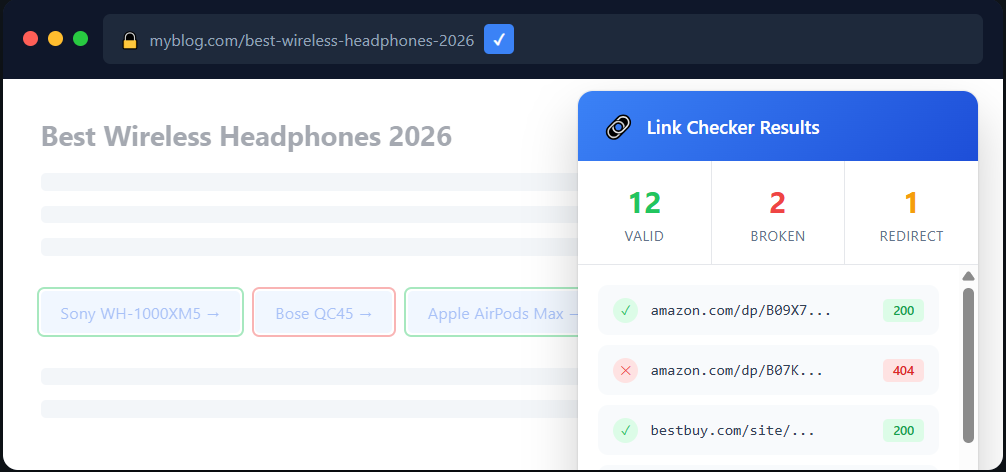
Browser extensions help, but they only cover part of the problem.
Automated Link Monitoring
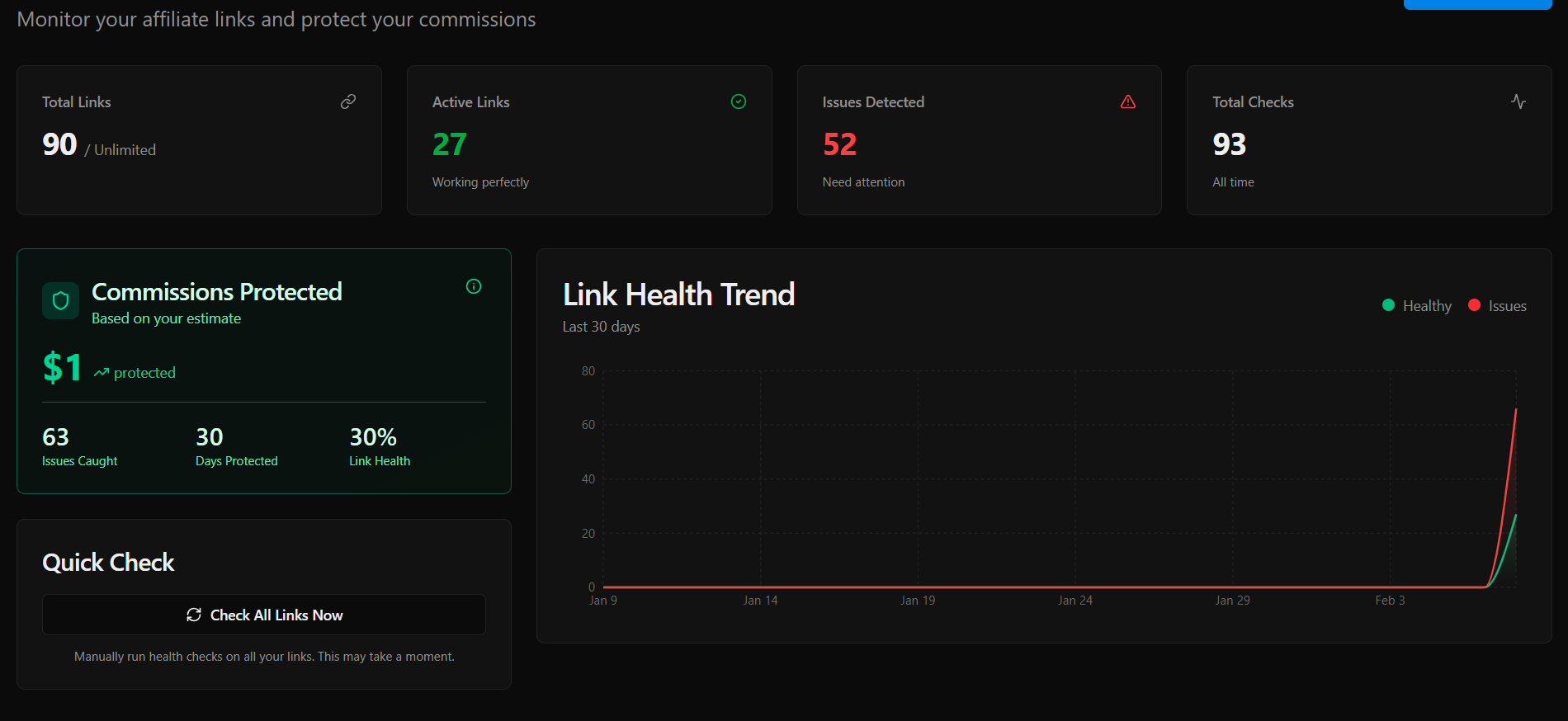
The most reliable approach is automated monitoring—a system that checks your links regularly and alerts you when something breaks.
What good affiliate link monitoring should do:
- Check links automatically on a schedule (daily or hourly)
- Verify the final destination after all redirects
- Confirm your affiliate ID is still present
- Measure response time to catch slow links
- Send alerts immediately when issues are detected
This turns link maintenance from a manual chore into a background process. You only hear about it when there's a problem to fix.
What to Do When You Find a Broken Link
Once you've identified a broken affiliate link, here's how to handle it:
For Discontinued Products
- Find an alternative product to recommend
- Update your content to reference the new product
- Replace the affiliate link
- Consider adding a note like "Updated January 2026" so readers know the content is current
For Changed URLs
- Find the new URL for the product or merchant
- Generate a fresh affiliate link through your network dashboard
- Update all instances of the old link
For Stripped Affiliate IDs
- Check if the merchant changed their affiliate program terms
- Regenerate the link from your affiliate dashboard
- Test the new link to confirm your ID stays intact through redirects
Building a Link Maintenance Routine
Consistency matters more than frequency. Here's a practical routine:
Quick scan of your highest-traffic pages. These drive the most revenue.
Full audit of all affiliate links. Use a spreadsheet to track link health over time.
When an affiliate program sends updates about platform changes, check your links immediately.
If commissions dip unexpectedly, broken links should be the first thing you investigate.
Protecting Your Commission Revenue
Every affiliate marketer eventually learns this lesson—usually after losing money to a link that broke weeks ago. The question is whether you learn it after losing $50 or $500.
The affiliates who earn consistently aren't necessarily better at SEO or content. They're better at maintenance. They catch broken links fast, fix them faster, and never let a single URL drain their revenue for weeks.
Whether you check links manually, use browser tools, or set up automated monitoring, the important thing is having a system. Pick an approach that matches your scale and stick with it.
The sooner you start checking, the less money you lose to links that broke while you weren't looking.

AffilGuard Team
We help affiliate marketers protect their commissions by monitoring links 24/7 and alerting you when something breaks. Our mission is to ensure you never lose money to broken affiliate links again.
Ready to Protect Your Affiliate Links?
AffilGuard monitors your links 24/7 and alerts you instantly when something breaks. Free for up to 20 links.
Related Articles
How to Audit Your Affiliate Links (Step by Step)
Most affiliate marketers don't audit their links until something goes wrong. By then, commissions have already been lost. Here's a practical process for checking every link across your sites.
Signs Your Affiliate Program Is Dying (Before They Tell You)
Commission cuts rarely come out of nowhere. Learn the warning signs that an affiliate program is in decline, with real examples from Amazon, Walmart, and others.
What Actually Happens When Someone Clicks Your Affiliate Link
A technical deep-dive into the journey of an affiliate click—from the moment someone clicks to when you get paid. Understanding this makes you better at the job.